
01
Open the Plyrix mobile app
Sign in with the account you want to delete and confirm you are using the correct workspace before continuing.
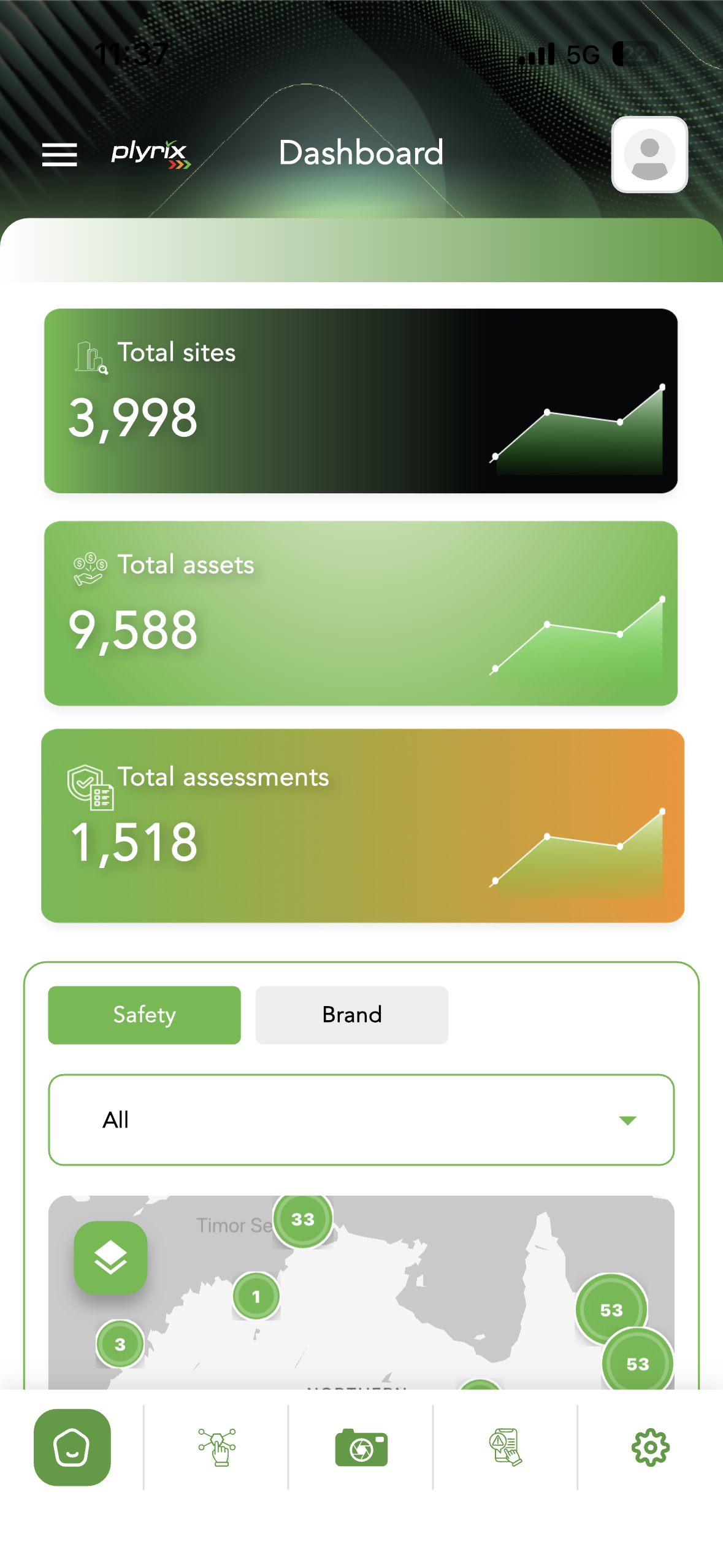
Follow these steps when you want to permanently remove your Plyrix mobile account. This page explains where to find the option, what happens next, and how to contact support if you need help before deleting your data.
Account deletion is permanent. Your profile and related account data will be removed according to Plyrix retention, legal, and security requirements.
Only delete the account after confirming you are signed into the correct profile.
Profile data is scheduled for removal after confirmation, subject to compliance obligations.
Contact support before deleting if you need access, billing, or workspace assistance.
Use the Plyrix mobile app to complete the deletion request in a few clear steps.
Sign in with the account you want to delete and confirm you are using the correct workspace before continuing.
Tap the settings tab from the bottom navigation, then review your profile details on the Settings screen.
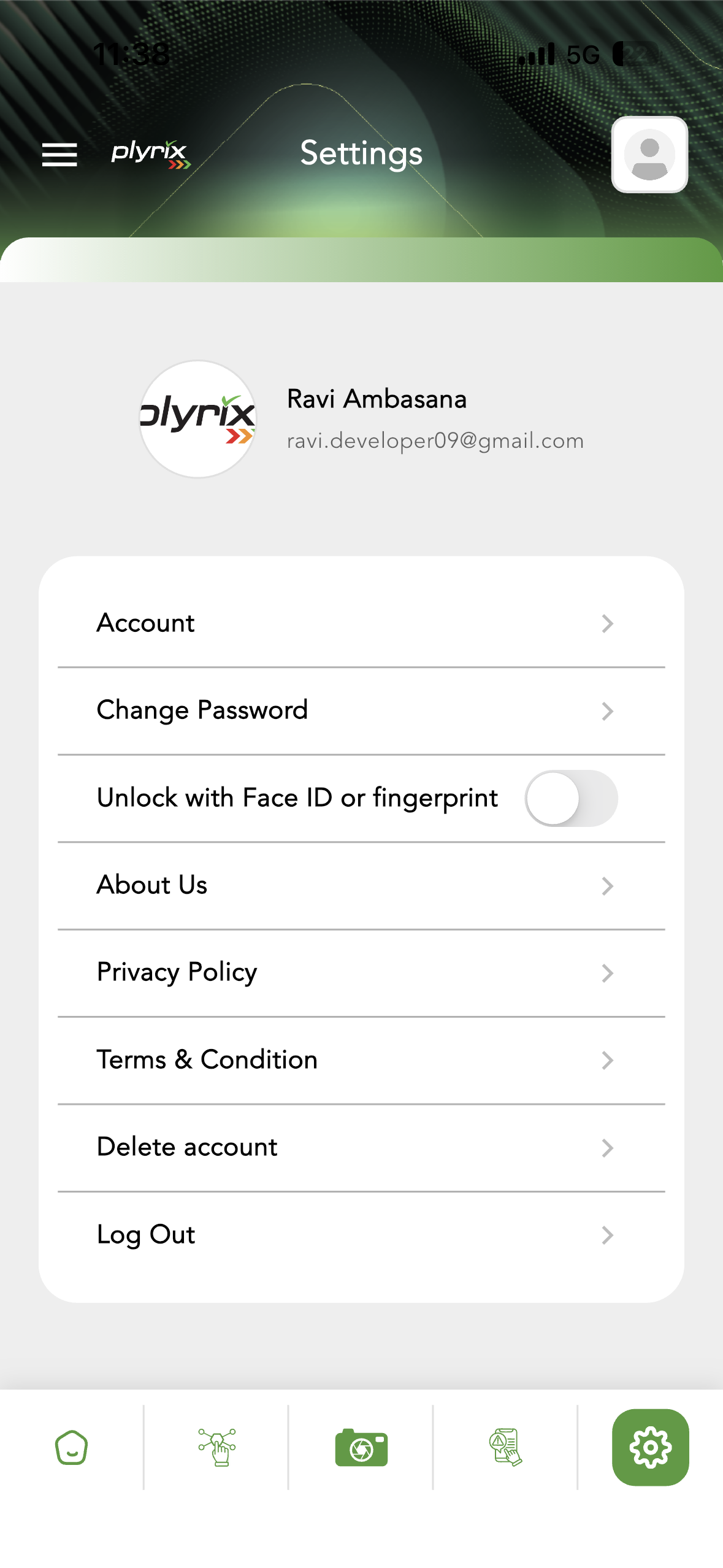
Choose Delete account from the Account menu and read the confirmation prompt carefully.
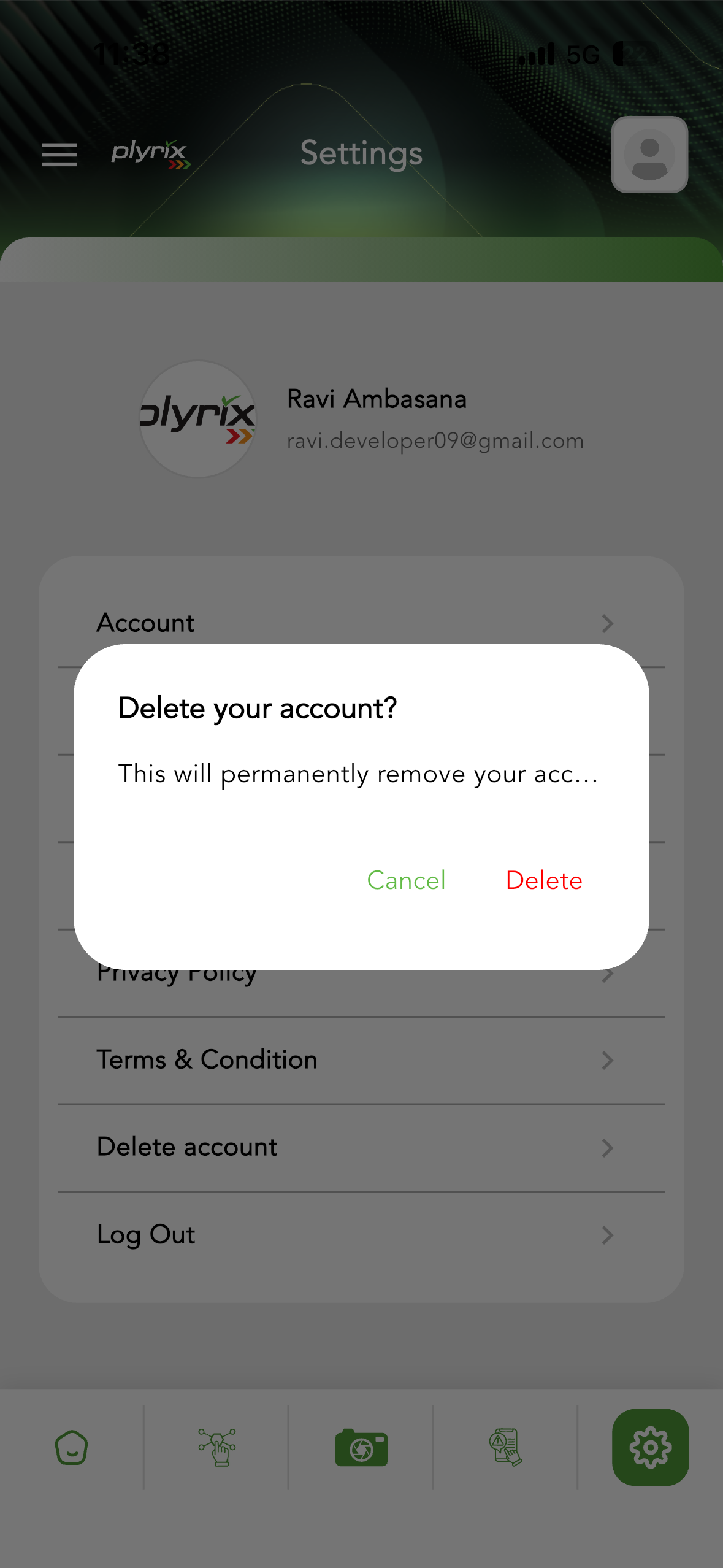
Once you confirm deletion, you may lose access to the Plyrix app and account-related information. Some records may be retained where required for security, fraud prevention, audit, billing, or legal compliance.